Why generative AI belongs in early design
You already know the early phase is messy: you’re sketching, pinning references, and testing massing options before anyone agrees on what “good” looks like. Generative AI fits here because it’s fast at producing variation. It can help you explore multiple spatial narratives, façade rhythms, and section ideas in the time it normally takes to polish one direction. Used well, it doesn’t replace design judgment; it widens the field you can evaluate with your own criteria.
AI is persuasive even when it’s wrong. It will happily invent structure, ignore codes, or erase the site’s real constraints. It also costs time to curate inputs and rerun iterations, and some tools require paid credits. Treat outputs as rough study models: prompts generate options, but you decide what becomes architecture.
Start with constraints, not a blank prompt
A prompt as broad as “design a modern community center” often produces polished but generic results that have little connection to the actual project. More useful concepts emerge when the model receives the information an architect would establish before exploring design options. Define the site dimensions, setbacks, climate, required spaces, target occupancy, preferred structural materials, budget range, and key spatial priorities, such as a daylit atrium, a quiet perimeter, or a clear transition from public to private areas.
Turn these requirements into precise instructions. For example: “Rectangular 30 m × 60 m lot, party walls on the east and west, main entrance from the south, maximize northern daylight, no west-facing glazing, 2,500 m² of programmed space, two circulation cores, and structural spans under 9 m.” The results may still contain errors, but specific requirements make those errors easier to identify. Refinement then becomes a matter of correcting dimensions, spatial relationships, and design requirements rather than repeatedly adjusting vague descriptions of the desired look.
Picking the right AI tools for the job
You’ll feel the tool choice most when you try to turn a good-looking idea into something you can actually draw. Image generators are great for fast mood and massing cues, but weak at plan logic and they often “cheat” with impossible spans, phantom doors, and inconsistent fenestration. Use them when you need breadth: three façade strategies, five courtyard types, ten roof profiles. Then switch tools when you need continuity. A chat model is better for turning your constraint list into a clean brief, a room schedule, adjacency logic, or a checklist you can pin beside your sketches.
When geometry matters, reach for tools that respect dimensions: parametric or BIM-adjacent workflows, even if you only block out solids and grids. A practical mix is: chat for scoping and prompts, image for directional variation, and CAD/BIM for testing moves. Exporting, redrawing, and managing credits takes time. Pick fewer tools, but use each with a clear job.
Prompt patterns that produce architectural variation
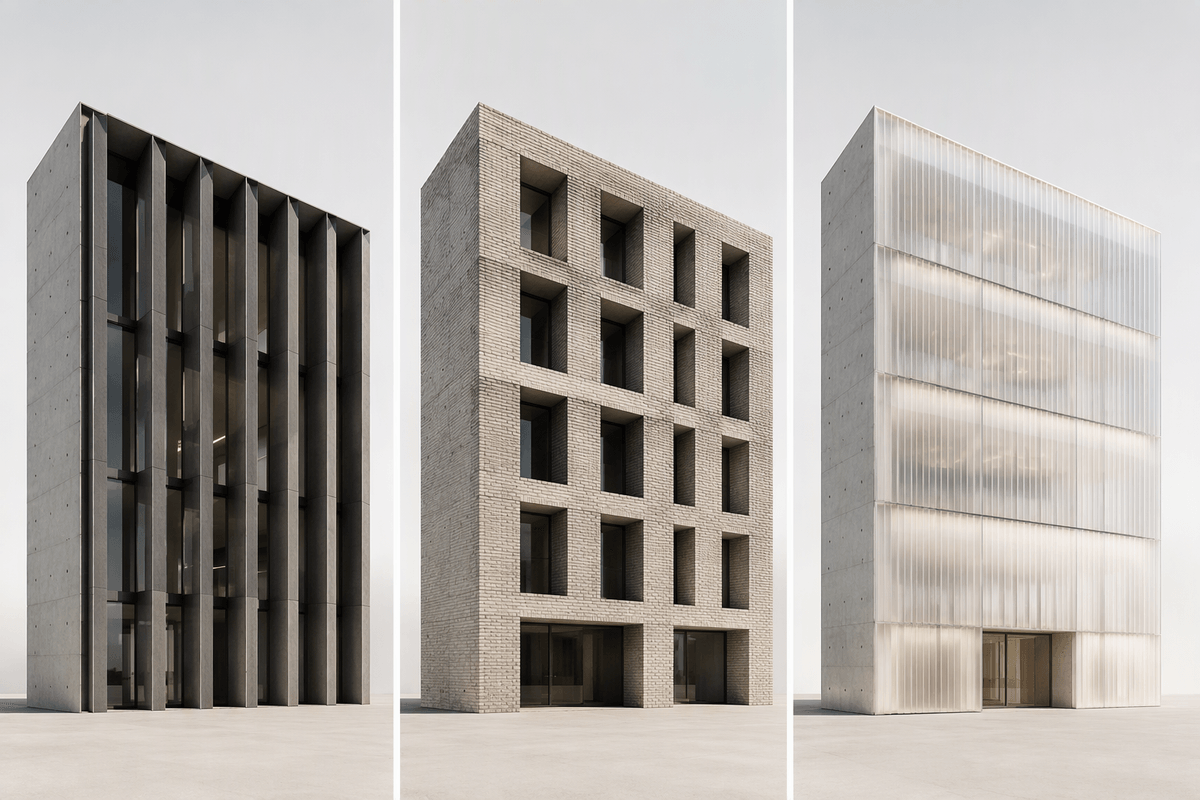
Prompts may sound specific yet still produce designs that resemble the same building under different lighting. More meaningful variation comes from changing one design decision at a time while keeping the other requirements fixed. For example, retain the same program and footprint while testing three circulation strategies: a central spine, a perimeter loop, and split cores. The same approach works for façades, comparing deep vertical fins, punched masonry, and a polycarbonate rainscreen against identical massing. With the main requirements held constant, differences between schemes become easier to evaluate.
Another way to broaden the results is to set contrasting design priorities. Compare a civic building that feels open and permeable with one that is quiet and monolithic, a courtyard-led scheme with one organized around the section, or a roof designed as public space with one reserved for services. Request several schemes at once, each with a name, three defining design moves, and one potential risk. Generating six distinct proposals provides more material for comparison than refining a single concept repeatedly. The selection still requires architectural judgment: some schemes may look compelling in an image but fail when tested against the site, circulation, or practical requirements.
From pretty images to testable design moves
You’ve likely had the experience: the AI output looks convincing, your classmates nod, and then you try to draw the plan and it falls apart. The fix is to treat every “pretty image” as evidence of one or two underlying moves, not as a proposal. Extract the moves explicitly: “thickened perimeter wall,” “stacked split-level commons,” “sawtooth north-light roof,” “service bar as thermal buffer.” If you can’t name the move in a sentence, you can’t test it.
Translate each move into something you can verify in your tools: a 1:500 massing with grids, a quick 1:200 plan diagram with door counts, and a single section that proves daylight and structure. Ask the chat model to generate a checklist tied to your constraints: max span, core-to-exit distance, net-to-gross target, façade-to-program alignment, and where the mechanical zones land. Then run a “break it” pass: request three failure modes for each scheme (egress pinch points, overheating west edge, impossible transfer beams) and pick the version whose risks you can actually solve within the budget and schedule you have.
Keeping authorship, ethics, and IP in bounds
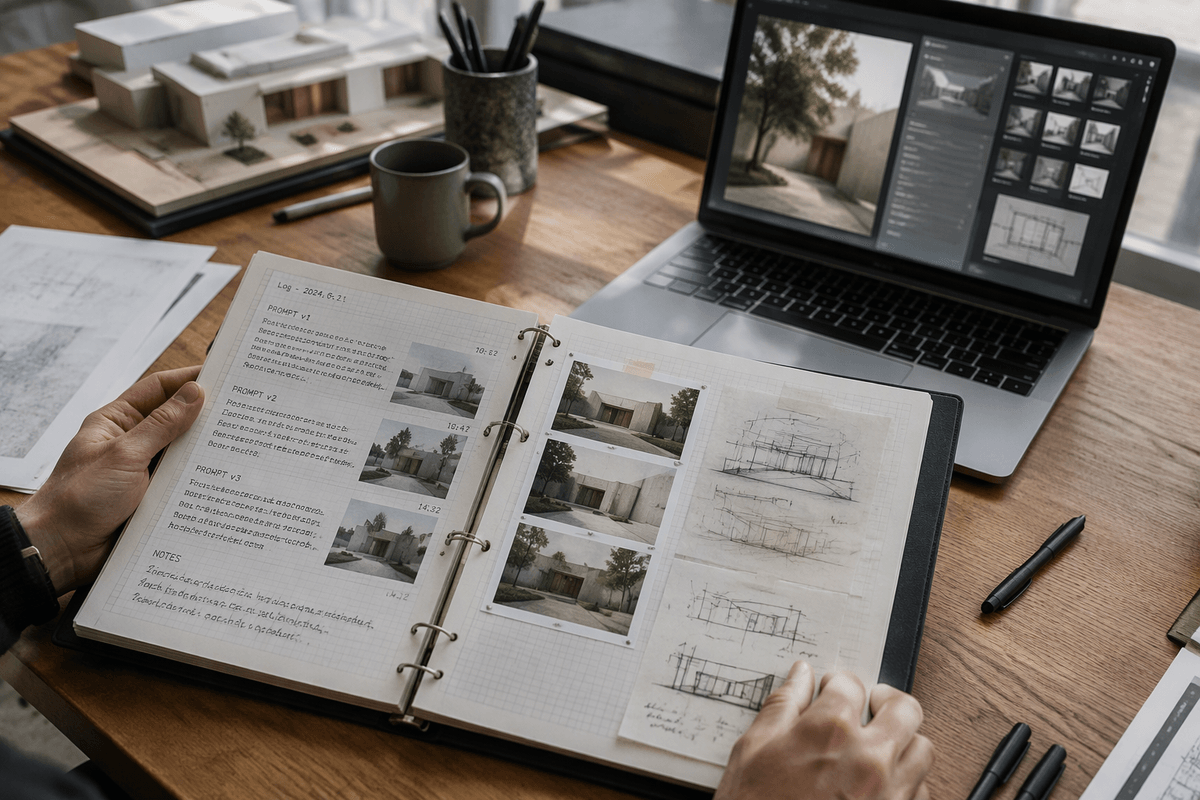
AI-generated designs can blur the line between inspiration and imitation when the result closely resembles an existing project. Treat these outputs as starting points for exploration rather than finished deliverables. Keep a record of the decisions behind your work, including the original requirements, prompt revisions, elements retained, and parts you redesigned yourself. A simple design log with timestamps and screenshots helps explain how the initial brief developed into the final proposal when a client, critic, or supervisor asks about the process.
The information shared with the model deserves equal care. Avoid uploading client drawings, site photographs containing identifiable people, or classmates’ work without permission and a clear policy for its use. Do not assume that submitted material will remain private. When developing visual references, avoid prompts that ask for work “in the style of” a living architect or a specific firm. Describe the qualities you want to explore instead, such as material systems, proportions, or assembly methods. Maintaining these records and checking what you share takes extra administrative effort, but it helps establish authorship and reduces the risk of disputes over originality, privacy, or professional responsibility.
A repeatable concept-sprint workflow you can run
Picture a two-hour concept sprint before you open Rhino: set a timer, then lock a one-page constraint sheet (site, program totals, spans, climate, budget band, “must-haves”). Use a chat model to turn that into three named scheme briefs, each with 3 moves, 1 diagram description (plan/section), and 2 predicted risks. Generate 12–18 images only to stress-test variation: “same constraints, change one lever” (courtyard, roof, circulation). Then pick two schemes using a simple scorecard: daylight, legibility, egress, structure plausibility, and originality.
Finish by redrawing one plan + one section per finalist at rough scale and writing a 5-line rationale you could defend in critique. Log prompts, seeds, and what you changed by hand; it protects authorship and makes the sprint repeatable. Without timers and a stop rule, you’ll burn hours chasing images instead of decisions.