Why “everyday” legal work is AI-ready now
Most “everyday” legal work isn’t a single brilliant leap; it’s repeated moves you already do with checklists and templates. Think: turning a client email into an issue list, pulling key dates from a PDF, comparing a draft against a preferred clause, or creating a first-pass research roadmap. Modern AI assistants are unusually good at that kind of structured, language-heavy work—especially when you give them the document, the goal, and the constraints.
The reason it’s workable now is that many outputs can be verified quickly against a source: the contract in front of you, the policy you follow, the citations you require. The verification still costs time, and confidentiality still requires discipline. Used as a first pass and an organizer—not the final authority—AI fits the way most firms actually operate.
Spot the tasks that waste time first

You can usually tell where AI will help by watching where your day quietly disappears: reformatting notes into a clean email, re-reading the same exhibits to pull the same dates, or rebuilding a timeline you already built last month. The best targets are high-frequency, low-novelty tasks where the “right answer” is checkable in minutes—summaries with page cites, extraction of defined terms, a punch list of missing deal points, or a first-pass outline for a motion based on your standard headings.
Skip the work that turns on credibility calls, strategy, or unsettled law unless you’re using the tool purely to organize. A useful rule is to label tasks by consequence if wrong: if an error would trigger a missed deadline, a bad waiver, or an embarrassing citation, keep AI in “assistant mode” and require a second look against the source. Also be honest about setup costs: good prompts, clean inputs, and a review step are real overhead, so start with the repeatable chores first.
Research and drafting: faster starts, careful finishes
Even when a motion or legal memo follows a familiar pattern, building a workable structure from a blank page can take an hour or more. AI is most useful during this early stage, helping turn a set of facts into an issue list, organize a research plan, or arrange an outline in a preferred sequence, such as jurisdiction, legal elements, governing standards, and application. Providing the firm’s template headings and examples from previous filings can also help produce a draft that reflects its established style rather than generic legal prose.
Legal accuracy still depends on careful review. AI-assisted research is useful for identifying leads, but it cannot replace a citator or direct examination of the authorities. Request sources with pinpoint citations, retrieve the original cases, and verify every quotation, parenthetical, and legal proposition against the actual text. Drafting follows the same principle. AI can suggest alternative clause language, improve a paragraph’s clarity, or prepare a neutral summary for a client update, but the finished work needs the scrutiny expected of a junior associate’s draft. Defined terms, cross-references, and statements of law all require independent checking. Much of the time saved at the outset is ultimately redirected toward close editing and verification, rather than eliminated.
Contract review and due diligence without missing basics
You’ve likely already built a mental checklist for “first read” contract review: parties and capacity, scope, money and timing, termination, risk allocation, and the clauses that quietly change leverage (assignment, change of control, exclusivity, audit, setoff). AI can take a long agreement or a stack of diligence documents and produce a clause map, a list of defined terms that matter to performance, and a punch list of missing or nonstandard provisions—if you provide your preferred positions and deal context.
Use it like a fast spotter, not a closer. Ask for page/section references for every extracted point, and have it flag any undefined capitalized terms, broken cross-references, and mismatched exhibits. The bad inputs create false comfort: scanned PDFs, tracked changes, and messy data rooms can cause missed language, so you still need a human “read for traps” pass and a final comparison against your playbook before you rely on the output.
Client intake and communication that stays consistent
A familiar pain point is the first 30 minutes after a new matter lands: you have an email chain, a few attachments, maybe a voicemail summary, and you’re trying to turn it into a clean intake record and a consistent client response. AI can turn messy inputs into a structured intake summary (parties, key dates, goals, open questions), propose a conflict-check-friendly name list, and draft a follow-up email that asks only for what you truly need—documents, timeline gaps, authority to act, and any hard deadlines.
Consistency is where it pays off. Give the tool your standard “first call” question set, your engagement letter checklist, and your preferred tone, then have it produce the same style of updates every time: a neutral status note, a next-steps list, and a document request in plain language. You still need to confirm facts against the source materials, and you need a safe workflow so confidential intake details don’t end up in a consumer tool or an unapproved chat history.
Admin work: turning notes and emails into systems
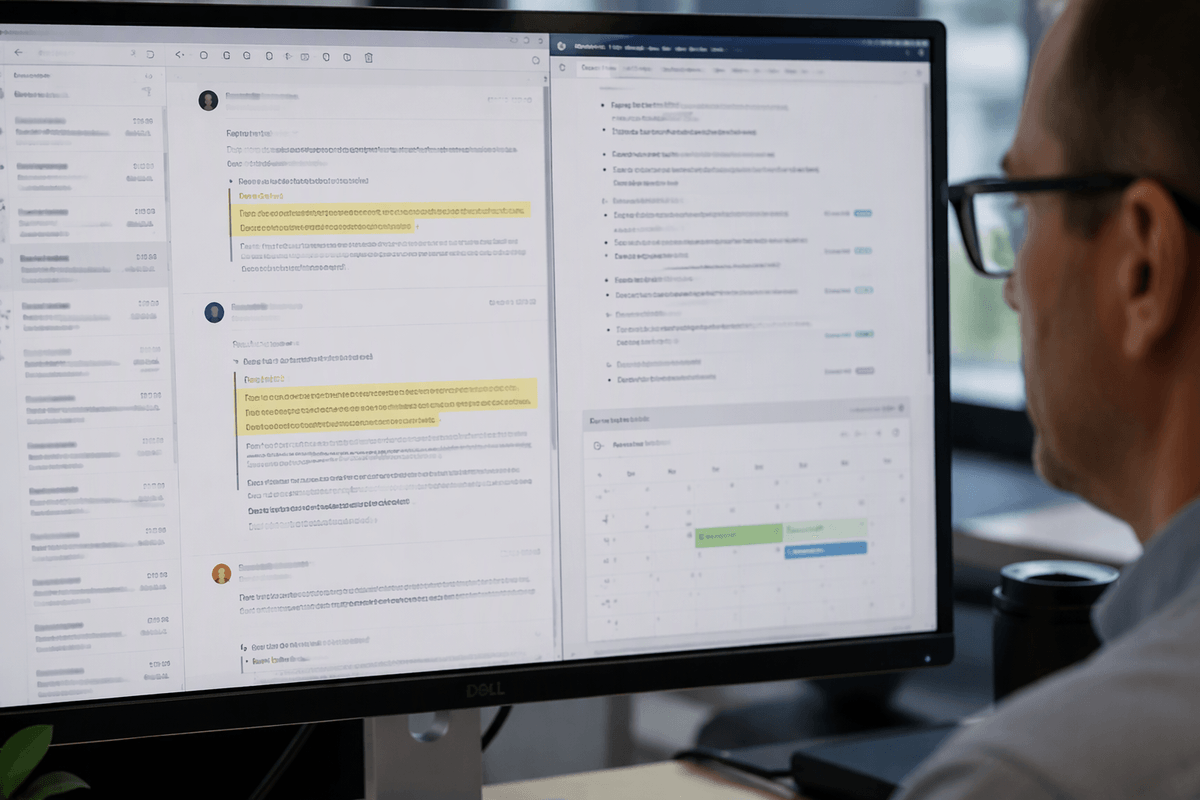
A lot of “admin” time is really translation: turning a call’s rough notes into a task list, turning a client’s scattered emails into a clean chronology, turning a partner’s margin comments into assignments. An AI assistant can do that translation quickly if you give it the raw material and a fixed format to output. For example: “Convert these notes into (1) deadlines, (2) open questions for the client, (3) internal tasks with owners, and (4) draft calendar entries.” The result is less reinventing and more repeatable follow-through.
The payoff shows up when you standardize the outputs. Have it produce the same matter update template every time, the same weekly status report structure, and the same “awaiting client” list. The sloppy notes and long email threads produce plausible-sounding but wrong details, so require quotes, timestamps, or message-by-message sourcing before anything becomes a docket entry, a filing date, or a client-facing statement.
Ethics, confidentiality, and choosing the right tool
Pasting an email thread or draft clause into an AI tool may seem harmless when the goal is simply to improve the wording. Questions about where that text is stored, who can access it, and whether it might be reused tend to come afterward. Confidentiality checks should be part of the workflow, not something left to memory. A sensible starting point is to keep client material out of consumer chatbots unless their use has been explicitly approved. Choose a firm-approved service with clear data-handling terms, disable training or retention where those controls are available, and remove identifying details when they are not essential to the task. Establish firm-wide restrictions for particularly sensitive material, including sealed filings, protective-order documents, trade secrets, and information that could jeopardize legal privilege if disclosed improperly.
Selecting a suitable tool requires more than comparing model capabilities. Firms need control over access, storage, and the handling of work product. Document-level permissions, administrative controls, configurable retention, and direct export into a document management system help reduce the risk of sensitive material remaining in scattered chat histories. Implementation also requires time and budget for approved templates, shared prompt libraries, and a clear usage policy. That policy should specify which outputs require independent verification, including citations, quotations, deadlines, and defined terms, and which AI functions are appropriate only for preliminary organization. Vendors that cannot give clear answers about confidentiality, data access, and logging should not be used for client work.
A practical way to start this week
Pick one workflow you already do three times a week and make it boringly repeatable: (1) paste in a document or email chain, (2) ask for a structured output (issues, key facts with quoted support, open questions, deadlines), (3) require page/paragraph references for anything factual, and (4) redline the result against the source before it goes anywhere. Start with low-stakes internal work product: an intake summary, a clause map, or a weekly status report.
Set one guardrail that costs you something—time—but prevents the usual failures: “No citations, no use,” or “No deadline goes to the calendar unless it’s supported by a quote.” Keep a shared prompt/template folder, track minutes saved for two weeks, and expand only after you can show consistent quality.