Why AI 3D modeling suddenly matters to creatives
A familiar shift is happening: clients and internal stakeholders now expect 3D visuals earlier, cheaper, and in more variations—often before requirements are stable. AI 3D tools matter because they reduce the time between “rough idea” and “something you can critique,” which changes how fast teams can make decisions. That speed is not just convenience; it can reshape budgeting, approvals, and who gets pulled into a project.
The tension is that early speed can quietly create downstream costs. A fast generated model that looks fine in a turntable may fall apart when it needs clean topology, consistent scale, usable UVs, or predictable materials for a real pipeline. The practical takeaway: treat AI as a draft accelerator, not a guarantee of production-ready assets.
From blank scene to first draft in minutes
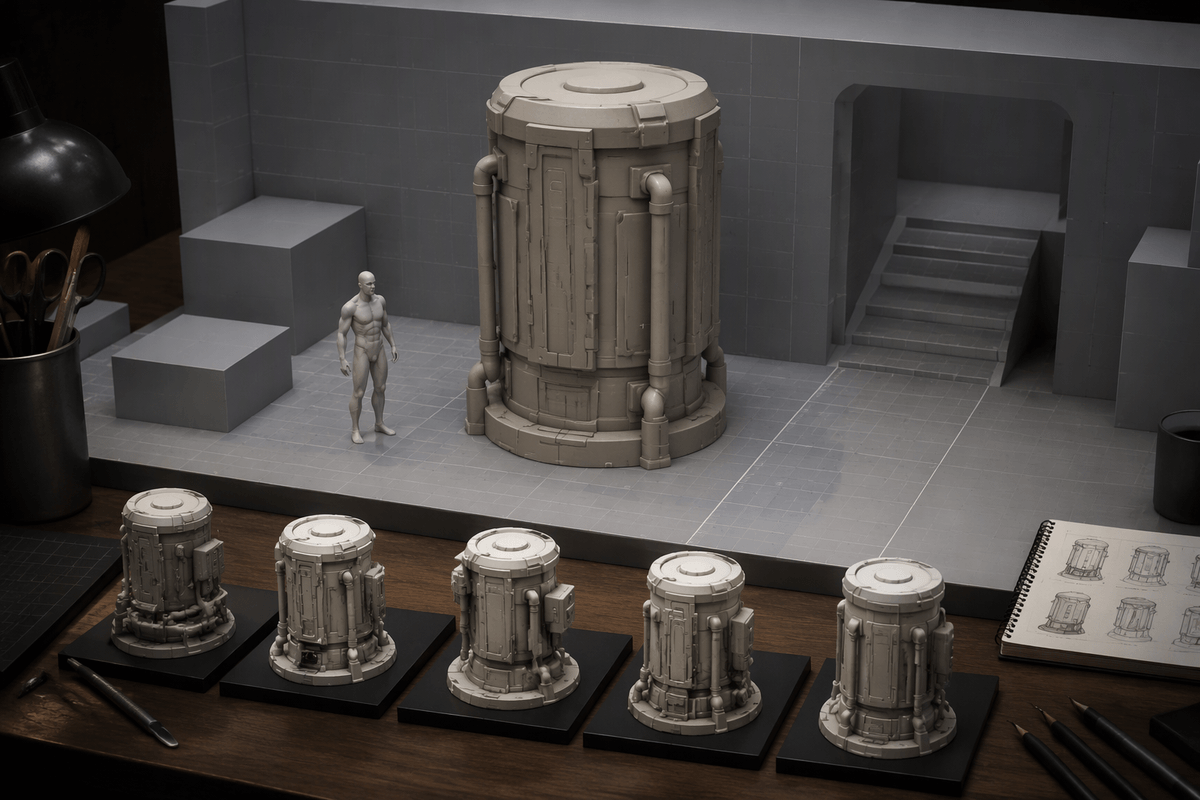
You feel the difference most when you start from nothing. Instead of blocking a scene with primitives or kitbashing old parts, you can feed a prompt, a sketch, a few reference images, or even a rough volumetric capture into an AI tool and get a plausible base object in minutes. For concept work, that first draft is often “good enough” to answer practical questions: is the silhouette readable, does it fit the environment, does the scale feel right next to known objects, and what variations are worth exploring.
The speed comes from letting the system guess the missing decisions you would normally make by hand. That guesswork is the cost. You may spend time re-rolling outputs, cleaning obvious artifacts, and bringing the result back onto your grid, units, naming, and material conventions. The productive mindset is to aim for critique-ready geometry quickly, then decide what deserves real modeling time.
Quality trade-offs: topology, UVs, and clean assets
The first time AI output hits a real pipeline is usually where the optimism gets edited. Many generators produce surfaces that read well from a distance but are structurally messy up close: uneven triangle density, accidental self-intersections, soft “melted” edges, and topology that ignores how the form should deform or be subdivided. That matters the moment you need bevel control, clean normals, or predictable shading under studio lighting.
UVs are the second shock. Auto-generated meshes may have no UVs, unusable islands, or stretching that makes even good textures look cheap. Some tools will bake a decent-looking albedo, but you still inherit problems when you need tiled materials, mask-driven wear, decals, or consistent texel density across a set.
If an asset must rig, animate, LOD, or ship to a client library, budget human time for retopo, UVs, naming, scale, and material cleanup. Speed up front is real; “clean” still costs.
Style control: keeping a consistent look across assets
You notice style drift fastest when you generate a set: one “matching” chair comes back with different bevel language, a slightly different wood grain scale, or a material response that reads like a different renderer. That inconsistency isn’t subtle once assets share a frame, especially in product visualization, stylized games, or brand work where proportion, edge treatment, and surface breakup are part of the identity.
The most reliable control today is still conventional: lock a reference board, define a small material library, and treat AI as a shape proposer, not the final look. Feed the same orthographic guides, palette, and lighting references into every run, then reapply your studio shaders and measured texture scales after cleanup. Some teams also keep a “golden asset” and force new outputs to match its texel density, roughness range, and bevel radius. The more you standardize, the more you’re back to art direction and surfacing by hand.
Who does what now in a small team
A small team feels the shift when “make three options” stops being a special request and becomes the default. The fastest path is usually to let AI cover the wide search: rough base meshes, quick prop variations, and scene placeholders that let a director pick a direction early. That changes the modeler’s value from “can you build it” to “can you make it usable,” because production still depends on scale discipline, naming, pivots, clean normals, and assets that behave under lighting and animation.
In practice, roles split into two tracks. One person drives generation and selection—prompting, reference curation, and quick kitbash assembly—while another owns pipeline hygiene: retopo, UVs, material rework, and export standards. Rigging, LODs, and collision remain human-heavy, and someone still has to police consistency across a set. You save time on first drafts, but you can burn it again if nobody is accountable for cleanup gates.
Tool and pipeline choices that won’t trap you
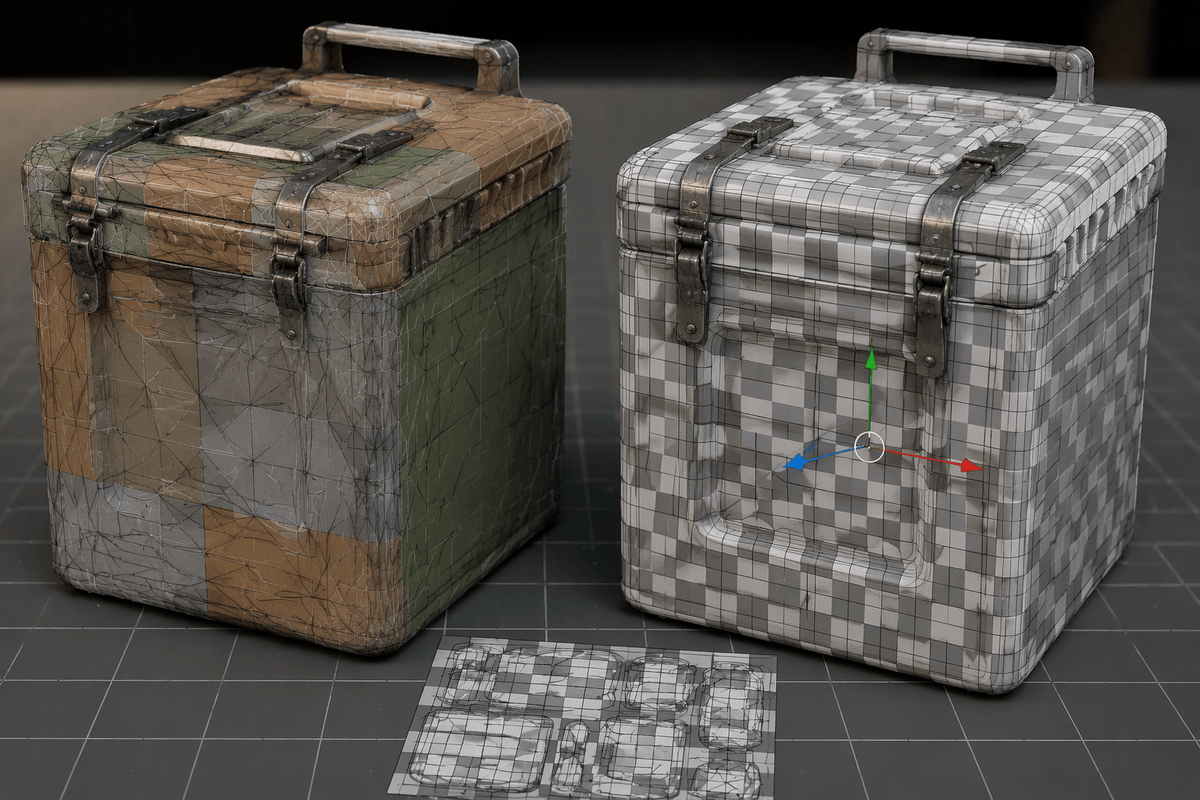
You can feel “tool lock-in” when a generator gives you a great-looking asset, but only as a proprietary scene file or a baked texture set you can’t re-author. The safer pattern is to treat AI output as disposable input, then move quickly into formats and conventions your team already controls: consistent units, pivots, naming, and a standard export like FBX or USD for geometry, plus predictable texture outputs you can rebuild in your DCC and renderer. If the tool can’t round-trip cleanly—export, reimport, and still behave—assume you’re buying future rework.
Pipeline-wise, define two gates: “critique-ready” and “production-ready,” and make the handoff explicit. Critique-ready can tolerate messy topology and temporary materials, but it must still be on-grid and correctly scaled so layout and camera decisions stick. Production-ready means retopo, UVs, material reassignment to your library, and a quick validation pass in the target engine or renderer. AI encourages volume, so without versioning discipline and clear kill rules, you’ll accumulate hundreds of near-duplicates that cost time to audit later.
Copyright, training data, and client expectations
A common client question now is, “Are we allowed to use this?” and you need an answer that’s more specific than “the tool says it’s fine.” The practical risk is twofold: what you fed in (client CAD, brand references, licensed scans) and what the model was trained on. Even if the output looks original, you may not be able to prove it wasn’t influenced by protected work, which matters for product launches, broadcast, and any asset that becomes a reusable library.
Set expectations early: AI outputs are drafts unless you can document inputs, licenses, and a cleanup path. Build a simple paper trail (tool name/version, prompts, reference sources, who approved) and price in human rework for “rights-safe, production-ready” delivery. The verification and replacements can erase the speed gain if you wait until final review.
A practical way to start without losing craft
The easiest low-risk start is to pick one repeating pain point—props for layout, early lighting blockouts, or quick variant exploration—and use AI only to generate “critique-ready” placeholders. Keep your craft in the gate that matters: you decide proportion, edge language, and what gets promoted into the real asset library. When something moves forward, rebuild or heavily re-author it using your normal standards: clean topology, controlled UVs, measured texel density, and your material set.
Budget for the friction up front. You’ll spend time on curation, failed generations, and documentation for clients who need rights clarity. A simple rule helps: if it ships, a human signs off on every mesh, texture, and source.