Why repetitive editing work eats your schedule
You sit down to “just trim the interview,” and two hours later you’re still doing tiny fixes that don’t feel like real editing. The schedule doesn’t get eaten by big creative decisions. It gets eaten by the repeatables: shaving dead air, tightening pauses, leveling uneven audio, cleaning room noise, matching color across clips, and pulling the same kind of b-roll beats you always need. Each step is quick on its own, but they stack, and they force constant context switching.
The worst part is the work expands to fill the project. You’ll rewatch sections to confirm cuts, then rewatch again after captions shift timing, then again after you resize for a vertical version. Even with templates, you’re still babysitting details. That’s where automation can help, but only if it reduces rework instead of creating new fixes.
Spot the tasks that are most automatable
You can usually tell what’s safe to automate by asking one question: “If this decision were wrong 10% of the time, would it ruin the video?” If the answer is no, it’s a good candidate. Silences and filler-word trimming, loudness leveling, basic noise reduction, cutting to a speaker’s active camera, and generating a first-pass transcript/captions are all high-return because they’re measurable and repetitive. Same for batch formatting: adding your standard intro/outro, applying a base LUT, and auto-resizing to vertical with subject tracking.
Keep anything “taste-based” in your hands: pacing of a story beat, comedic timing, music hits, and which moments become the hook. A practical constraint is that automation is rarely set-and-forget. You’ll still budget time to review, because one mangled name in captions or one over-aggressive noise filter can cost more time than it saved.
Cutting and cleanup: from rough cut to usable
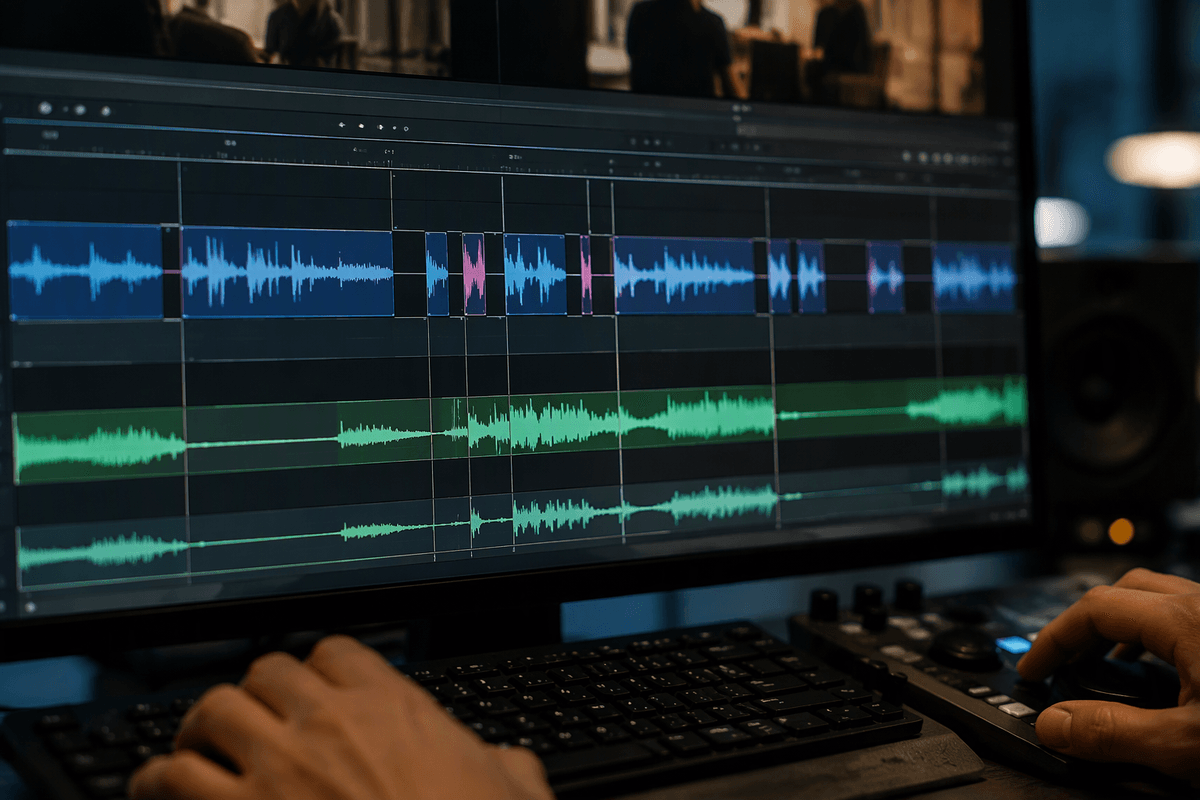
You usually feel the drag right after the first assembly: the story is there, but it still feels “raw.” This is where AI saves the most time if you treat it like a rough-cut assistant, not a creative director. Start by letting it build a first pass from the transcript: remove long pauses, obvious “ums,” and repeated lines, then stitch the remaining bites into a clean sequence. After that, run auto audio cleanup in a conservative mode (leveling, light denoise, de-essing) so you can hear what you’re actually working with, not fight the recording.
The trade-off is that these tools can over-correct. Fast speech, intentional pauses, laughter, and emphasis often get “optimized” away. Plan on a tight review pass where you check transitions, restore breaths where they help pacing, and spot-check problem areas: names, numbers, and any section with overlapping speakers. Also budget extra time the first few projects to dial thresholds; once you’ve saved presets for your typical mic and room, the cleanup stops being a rabbit hole.
Captions, transcripts, and search-based editing
You’ll notice how often you scrub the timeline just to find “that part where they said the price” or “the moment the customer laughed.” A solid transcript turns those scavenger hunts into a quick text search. Generate the transcript early, then use it to build selects: highlight every mention of key topics, pull quotes into a “best lines” sequence, and assemble a first cut from text before you fine-tune timing. This works especially well for interviews, podcasts, webinars, and talking-head tutorials where the value is in the words.
Captions are the other time sink that’s worth automating, but only with a review routine. Expect mistakes on names, acronyms, and numbers, and watch for punctuation that changes meaning. If your style uses emphasized words, line breaks, or on-screen sound cues, you’ll still do manual passes. The practical win is batching: fix the transcript once, then regenerate captions and reuse that corrected text across shorts, clips, and show notes.
Repurposing for every platform without redoing work
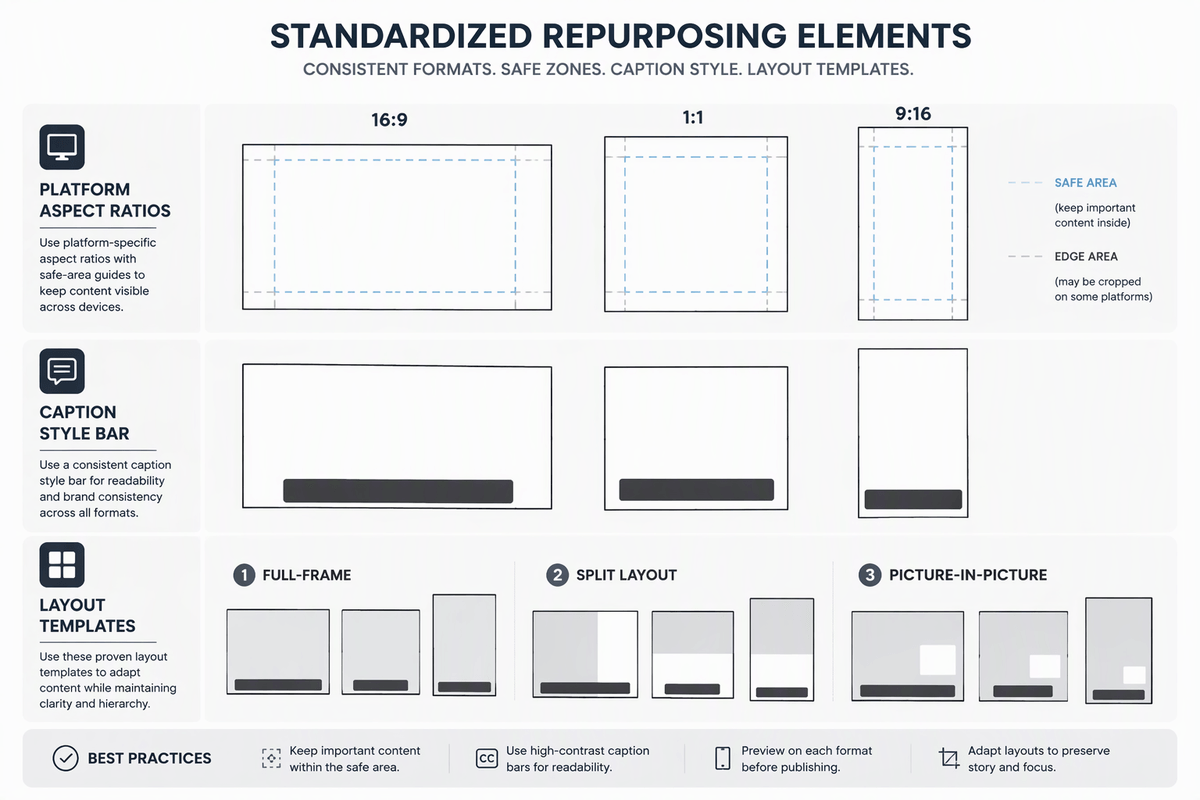
You finish a clean 16:9 video, then the real time leak starts: making a vertical version, pulling shorts, and rewriting captions so they don’t cover faces. The easiest way to avoid “three separate edits” is to treat repurposing as outputs from one master sequence. Keep your transcript as the source of truth, then generate clip candidates by topic or hook lines (15–45 seconds) and drop them into a dedicated “shorts” bin or sequence. Auto-reframe tools can handle most talking-head shots if you give them a clear subject, but you still need a quick pass for wide shots, screen recordings, and multi-person scenes where the subject changes fast.
Standardize the parts you repeat: caption style presets per platform, safe-area guides, and a few layout templates (full-frame, split with subtitles, picture-in-picture). The constraint is rendering and review time. Three formats means three exports, three thumbnail crops, and three quick QC checks. Automation reduces the cutting, not the responsibility to confirm it looks right everywhere.
A workflow that keeps you in control
You’ve probably felt the “AI whiplash” workflow: run a tool, fix what it broke, rerun it, then fix new problems. The way to stay in control is to lock a simple order of operations and only automate once per stage. Start with an organized ingest (consistent names, synced audio, one project template). Generate a transcript immediately and treat it as the anchor for everything else. Do your text-based trims and selects first, then commit that into a rough cut you can watch end-to-end without stopping.
From there, run cleanup in conservative presets: loudness leveling and light denoise, then captions from the corrected transcript. Only after the story and words are stable should you do “output work” like auto-reframe, platform layouts, and batch exports. Build in a fixed QC pass: spot-check names/numbers, scan for jumpy reframes, and listen to 30 seconds on phone speakers. The cost is discipline—skipping the order feels faster, but it usually creates rework.
Choosing tools and avoiding new bottlenecks
You don’t need the “most AI” tool. You need the one that fits your repeatables: transcript accuracy for your accents and jargon, reliable silence trimming, captions you can style once, and reframing that doesn’t hunt. Before you commit, run the same 5–10 minute test clip through two options and time the full loop: import, generate, fix errors, export. The hidden bottlenecks are slow renders, cloud queues, per-minute pricing, and features that only work inside one editor, forcing round-trips. Pick the smallest stack that covers 80% and document two presets: “safe auto” and “final polish.”